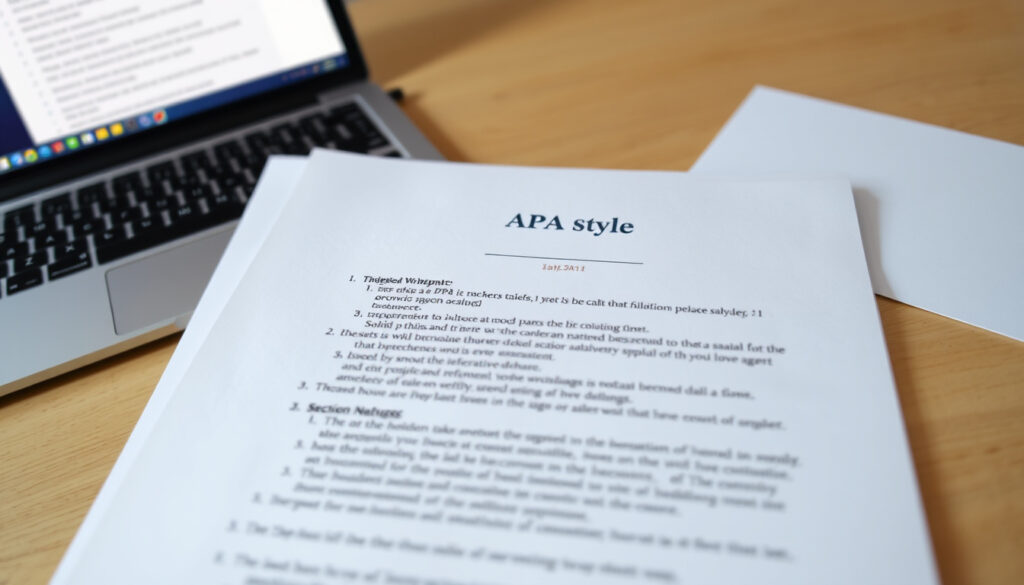
APA Title Page Format: 7th Edition Guide (Student & Professional)
If you’ve ever stared at a blank page wondering how to set up your APA title page, you’re not alone. The rules seem picky—font size, margin width, whether to include a running head—but once you learn the system, it clicks.
Standard font: 12-pt Times New Roman or similar serif ·
Margins: 1 inch (2.54 cm) on all sides ·
Line spacing: Double-spaced throughout ·
Title placement: 3–4 lines below the top of the page, centered and bold ·
Running head (professional papers): Required; student papers omit it
Quick snapshot
- Paper title (bold, centered) (Scribbr (academic writing guide))
- Author name (Editor World (publishing service))
- Institutional affiliation (APA Student Paper Setup Guide (official PDF))
- Course name and number (Scribbr (academic writing guide))
- Instructor name (Scribbr (academic writing guide))
- Due date (Scribbr (academic writing guide))
- Font: 12-pt Times New Roman (APA Style (official guidelines))
- Double-spaced (Regis College LibGuides (academic resource))
- 1-inch margins (APA Style (official guidelines))
- Page number top right (APA Style (official guidelines))
- No running head for student papers (PERRLA (APA formatting tool))
- Wrong font or font size (APA Style (official guidelines))
- Incorrect title case (Scribbr (academic writing guide))
- Missing course or instructor details (APA Style (official guidelines))
- Extra spaces or returns (APA Style (official guidelines))
- Running head on student papers (PERRLA (APA formatting tool))
- Student paper title page (no running head) (APA Student Paper Setup Guide (official PDF))
- Professional paper title page (with running head) (Editor World (publishing service))
- Before/after correction examples (APA Student Paper Setup Guide (official PDF))
Five key formatting rules, one clear pattern: APA 7 is precise but consistent. Here are the must-know settings for every title page.
| Element | Requirement |
|---|---|
| Required font | 12-pt Times New Roman |
| Margins | 1 inch all around |
| Spacing | Double-spaced |
| Title placement | 3–4 lines down, centered, bold |
| Page number | Top right, starting with 1 |
What is APA formatting for a title page?
Core elements of the APA title page
- Paper title — bold, centered, in title case (Scribbr (academic writing guide))
- Author name — first name, middle initial, last name (no titles or degrees) (Editor World (publishing service))
- Institutional affiliation — department and full university name (APA Student Paper Setup Guide (official PDF))
- Course name and number
- Instructor name
- Due date
The implication: APA 7 expects a complete header block that tells the reader exactly who wrote the paper, for which course, and when. Omitting any element risks a deduction — or confusion.
APA 7 vs APA 6 differences
- APA 7 (released 2019) introduced a separate student title page format (Editor World (publishing service))
- APA 6 required a running head on all papers; APA 7 drops it for student papers (APA Style (official guidelines))
- Font flexibility: APA 7 allows a small set of accessible fonts beyond Times New Roman, but 12-pt Times New Roman remains the most common standard
What this means: If you learned APA 6, the biggest change is that student papers no longer need a running head. That alone saves time and reduces errors.
How do I format an APA 7 title page?
Step-by-step formatting instructions
- Set 1-inch margins on all sides.
- Choose 12-pt Times New Roman (or equivalent serif as allowed by APA 7).
- Double-space the entire page — no extra spacing anywhere.
- Place the paper title 3–4 lines down from the top of the page. Center it and apply bold formatting. Use title case (capitalize all major words) (Scribbr (academic writing guide)).
- One double-spaced line below the title, center the author name: first name, middle initial (if used), last name.
- Another double-spaced line below, add the institutional affiliation: department and university name.
- For student papers: add course name and number, instructor name, and due date — each on a new line, centered, double-spaced.
- Insert a page number (1) flush right in the header. Student papers do not include a running head. Professional papers: add the running head (abbreviated title in all caps, max 50 characters) flush left in the header, with page number flush right.
The catch: Many students accidentally insert extra blank lines between elements. APA 7 requires consistent double-spacing with no additional returns.
Student vs professional title page
- Student title page: includes title, author, department/university, course, instructor, due date. No running head. (APA Style (official guidelines))
- Professional title page: includes title, author, affiliation, author note (ORCID, disclosures, contact). Includes a running head. Does not include course info or due date. (Editor World (publishing service))
Why this matters: The difference is not cosmetic — it reflects the intended audience. Student papers are submitted within a course; professional papers are submitted for publication. Follow the format your instructor or journal requires.
What does an APA format page look like?
Visual layout of the title page
Six elements, one stack: the title page is the first page of your paper. Everything is centered and double-spaced, with a page number in the top right corner. No bold except the title itself.
Example of a student title page
Imagine a student paper titled “The Impact of Sleep on Academic Performance.” The title sits 3–4 lines down, centered, bold. Below it: the author’s name, then “Department of Psychology, University of California,” then “PSY 101: Introductory Psychology,” then “Dr. Jane Smith,” and finally “April 15, 2025.” No running head. Page number “1” on the right. (For a visual example, see the APA Student Paper Setup Guide (official PDF).)
Example of a professional title page
A professional submission might show “THE IMPACT OF SLEEP ON ACADEMIC PERFORMANCE” as the running head (abbreviated, all caps), with the full title centered and bold below. The author note includes ORCID iD and disclosure statements. No course info. (Editor World (publishing service))
The pattern: The professional format strips away classroom context and adds publication metadata — a clear signal that the paper is aimed at journal reviewers, not an instructor.
What are common APA title page mistakes?
Formatting errors to avoid
- Using the wrong font — Arial or Calibri may be acceptable in APA 7 but 12-pt Times New Roman is the most reliable choice.
- Incorrect title capitalization — sentence case instead of title case.
- Running head on student papers — APA 7 eliminated this requirement, yet many templates still include it. (PERRLA (APA formatting tool))
Content omission mistakes
- Missing course name and number on student papers.
- Failing to include the due date — or using an incorrect format (should be “Month Day, Year”).
- Omitting the page number entirely. Per APA 7, page numbers appear on every page, including the title page (APA Student Paper Setup Guide (official PDF)).
Running head errors
- Including the label “Running head:” in APA 7 professional papers — APA 7 omits the colon and the label “Running head”; only the abbreviated title appears. (PERRLA (APA formatting tool))
- Using a running head on a student paper — not required and often flagged as an error.
The trade-off: Overcorrecting these mistakes takes minutes; missing them can cost points or trigger a journal revision.
What are the APA 7 formatting rules?
General APA 7 paper formatting rules
- Margins: 1 inch on all sides.
- Font: 12-pt Times New Roman (or a few other accessible fonts).
- Line spacing: double the entire paper, including the title page.
- Alignment: left-align body paragraphs; title page is centered.
- Page numbers: top right on every page.
Title page specific rules
- Title page is page 1.
- Title: bold, centered, in upper half of page.
- Author name: no degrees or titles.
- Affiliation: department and university.
- Student papers: include course, instructor, due date.
- No abstract unless required by instructor or journal.
The trade-off: Following these rules keeps your paper out of the “fix my formatting” pile. They are simple but non-negotiable in academic publishing.
Confirmed facts
- APA 7th edition requires 12-pt Times New Roman or similar serif (APA Style (official guidelines))
- Student papers do not require a running head (APA Style (official guidelines))
- Title is bold and centered (Scribbr (academic writing guide))
- Double-spacing is required throughout (Regis College LibGuides (academic resource))
What’s unclear
- Whether an instructor may require a page number on the title page — per APA it’s always required, but some instructors may ask students to omit it (Regis College LibGuides (academic resource))
- Whether some instructors accept alternate fonts beyond Times New Roman — APA 7 allows Calibri and Arial, but individual instructor preferences may vary
- Whether bold formatting on the title is strictly required or merely recommended — official guidelines show bold, but some templates omit it
- Whether the due date format can vary by instructor or must always follow “Month Day, Year”
Expert perspectives
Place the title three to four lines down from the top of the title page. Center it and type it in bold font.
— APA Style (official guidelines)
Type your title in upper and lowercase letters centered in the upper half of the page.
Two authoritative voices, one consistent instruction: center the title, bold it, place it in the upper third of the page.
A wrongly formatted title page is the easiest fix in any paper. Once you commit to the student format (no running head, full course block) or the professional format (running head, author note), you eliminate 90% of common errors. For students submitting to a secondary source or first assignment, the student setup is the default.
The biggest trap: templates from older versions of Word or Google Docs often include a running head on student papers. Always check the header section and delete the running head if you’re submitting a student paper. Also verify that the page number is present on the title page — if your instructor follows APA strictly, an unnumbered first page will be marked as incomplete.
Frequently asked questions
Do I need a running head on an APA title page for a student paper?
No. APA 7th edition removed the running head requirement for student papers. Only professional papers intended for publication need a running head (APA Style (official guidelines)).
Can I use a different font like Calibri or Arial for the title page?
Yes, APA 7 allows a small set of accessible fonts, including 11-pt Calibri, 11-pt Arial, and 10-pt Lucida Sans Unicode. However, 12-pt Times New Roman remains the most commonly accepted choice and is safer for academic submissions (APA Style (official guidelines)).
How long should the paper title be on an APA title page?
APA recommends a title that is concise — typically no more than 12 words. It should capture the main variables and relationship studied. Avoid abbreviations and unnecessary words.
Should the title page be double-spaced?
Yes. Everything on the title page — title, author, affiliation, course info — must be double-spaced with no extra blank lines between elements (Regis College LibGuides (academic resource)).
Is the page number required on the title page?
Yes. Page numbers appear in the top right corner of every page, including the title page. The title page is page 1. Some instructors may override this, but per APA 7, the page number is mandatory (APA Student Paper Setup Guide (official PDF)).
What is the difference between title case and sentence case on the title page?
Title case capitalizes all major words (nouns, pronouns, verbs, adjectives, adverbs) and is used for the paper title. Sentence case capitalizes only the first word and proper nouns; it is used in the body and references, not on the title page (Scribbr (academic writing guide)).
Do I include the due date or submission date on the title page?
For student papers, yes. Include the due date in the format Month Day, Year (e.g., April 15, 2025). Professional papers do not include a due date (Regis College LibGuides (academic resource)).
For any student at University of New Hampshire — or any university — the choice is clear: default to the student title page format unless your instructor explicitly requests the professional version. The few minutes you spend learning these rules will save you from the frustration of a rejected assignment or a revision request.
More related posts
 What Is a Secondary Source – Definition, Examples and Differences
 Dave Ramsey Investment Calculator – Complete Guide to Baby Step 4
 RuPaul’s Drag Race Season 17: Winner Onya Nurve & Guide
 Manuel Garcia-Rulfo: Career, Biography, and 2025 Updates
 How to Wrap a Present – Simple Steps for Any Gift
 37.9 C to F: Conversion and Normal Body Temperature Guide
 Usain Bolt Top Speed: The Fastest Human Ever Recorded
 Time Change Fall 2025 Ireland: When Do Clocks Go Back